 Richer Incident Reporting with the Service Manager self-service portal
Longhorn in MOM 2005
What happens if you install a MOM 2005 agent on a longhorn server?
Well it works, but Longhorn is operating system version 6.0 so the machine will only end up in “Microsoft Operations Manager 2005 Agents” as default.
Â
Microsoft Audit Connection Service (ACS)
Microsoft Audit Connection Service (ACS) is a new function in SCOM 2007 that can collect logs from machines. All logs are saved in a special Audit Collection database. You can then run reports against the database to see trends and do security analyzes. You can also trace a user over many systems. In SCOM 2007 beta 2 scenarios.doc there is a number of scenarios, if you would like to test ACS (2.5.2 Audit Collection) you will have to change connection string to data source = FASQL01; initial catalog = dbAuditÂ
FASQL01 is the SQL server and dbAudit is the database. You replace the connection string under Home/Audit Reports/Db Audit in SQL reporting.
Â
Agent Failover
What happens to agents when the management server becomes inaccessible?
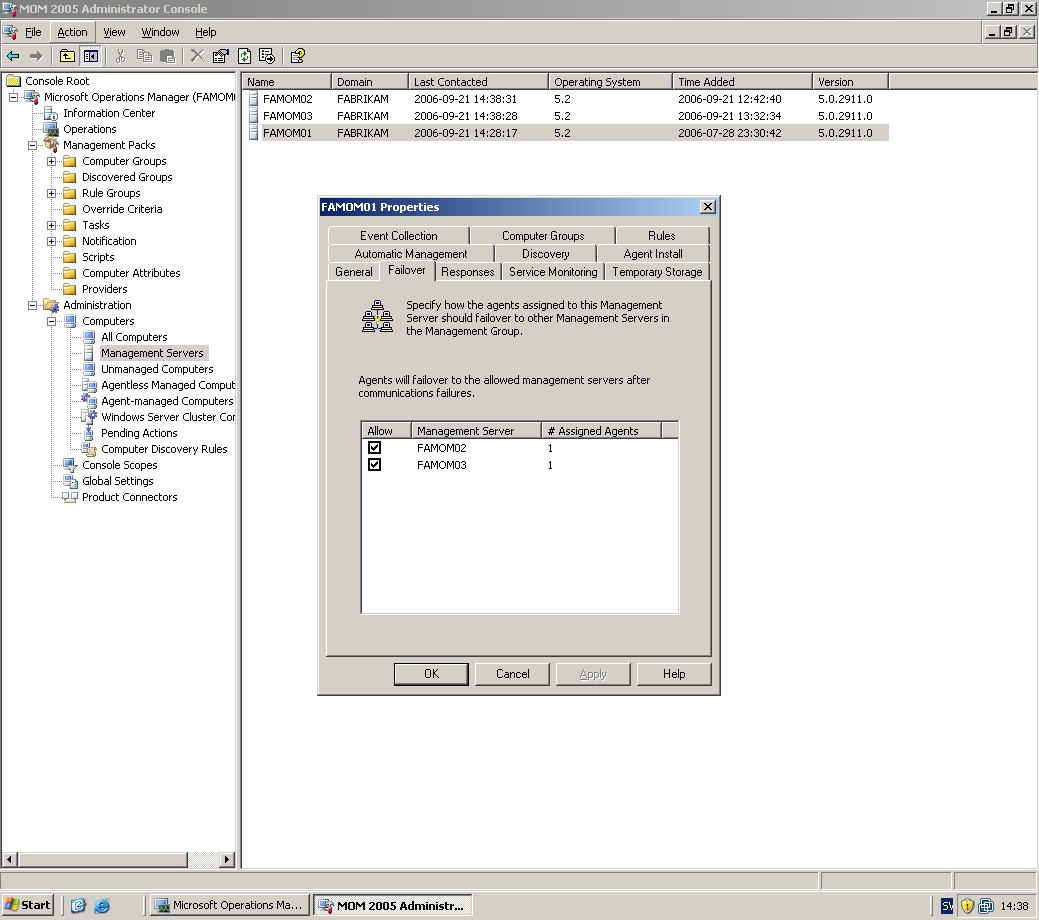
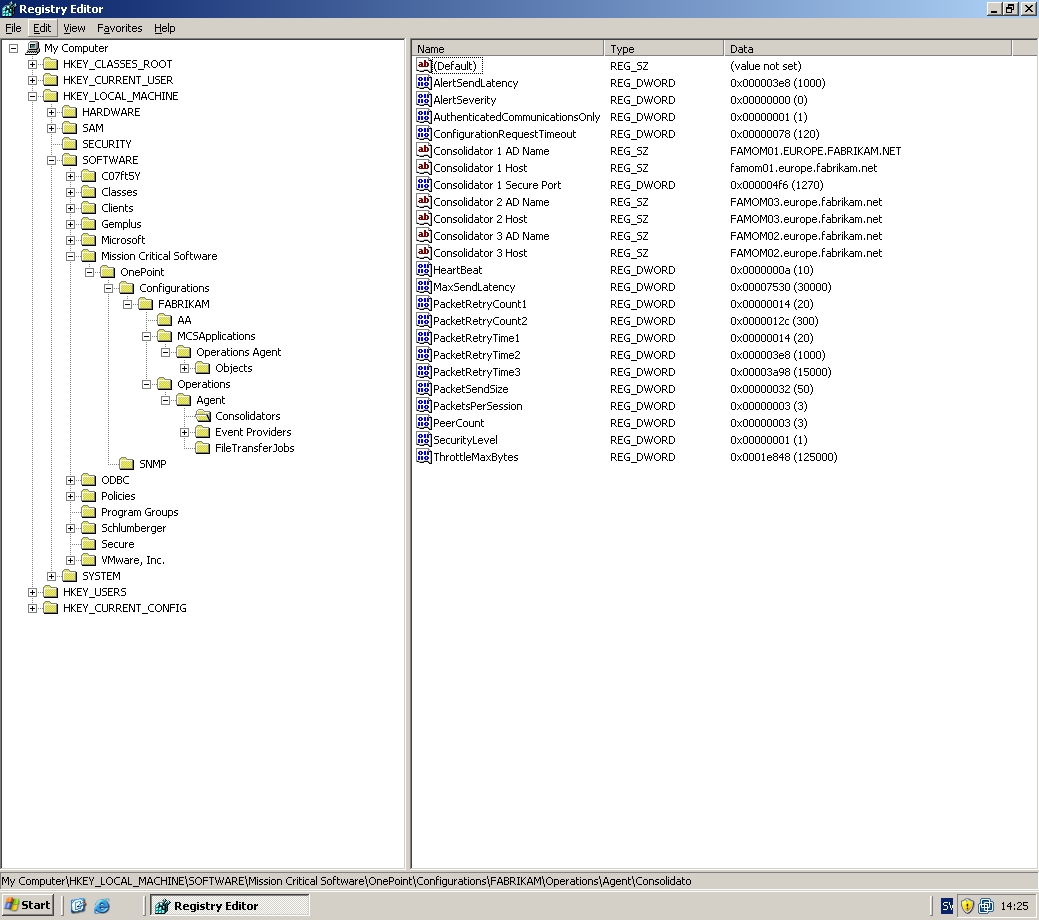
You can in MOM 2005 Administrator Console setup where every agent can failover. You do this under management server properties, under computers (pic5). You can setup that agents from MOMSRV1 will failover to MOMSRV2 and MOMSRV3. You can’t setup in which order, if first to MOMSRV2 or MOMSRV3. But you can do that in your agent registry. For every management server that scan a agent there is two registry changes, Consolidator X AD Name and Consolidator X Host (pic1). Here, in the agent registry, you can change failover order. You will find Consolidators here My Computer\HKEY_LOCAL_MACHINE\SOFTWARE\Mission Critical Software\OnePoint\Configurations\\Operations\Agent\Consolidators.
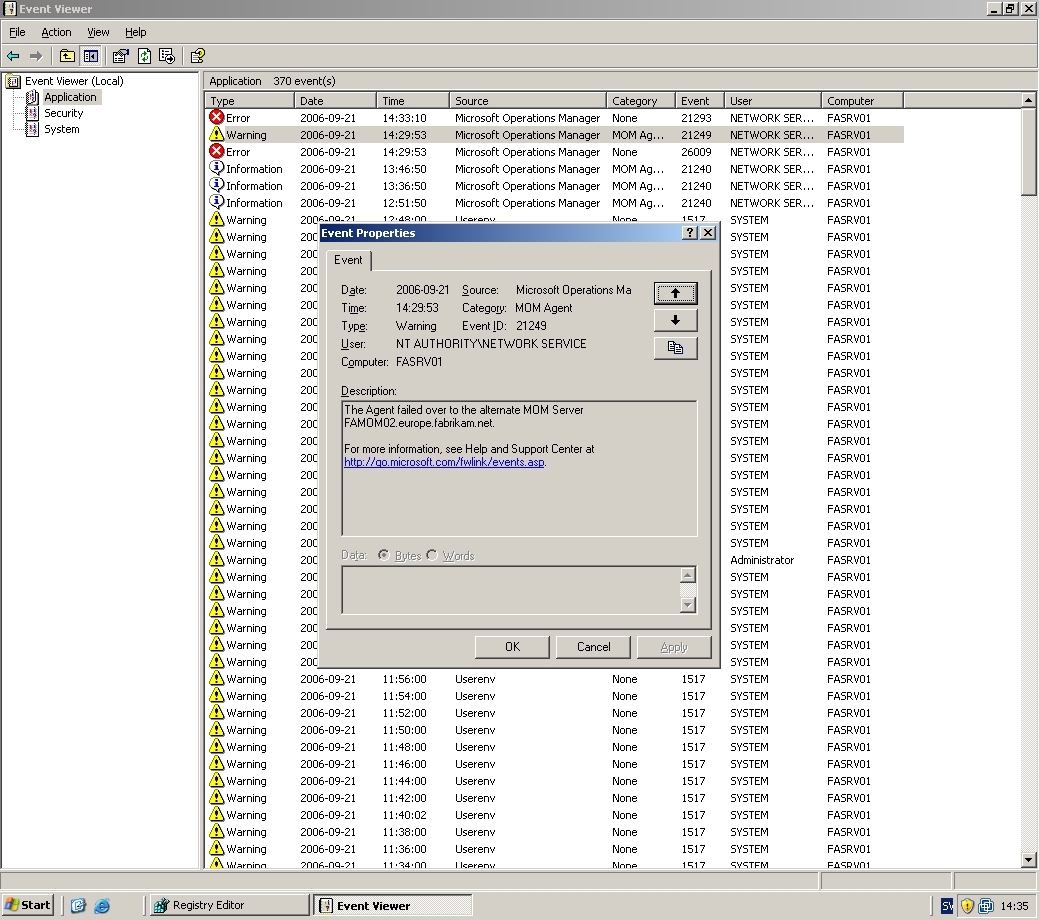
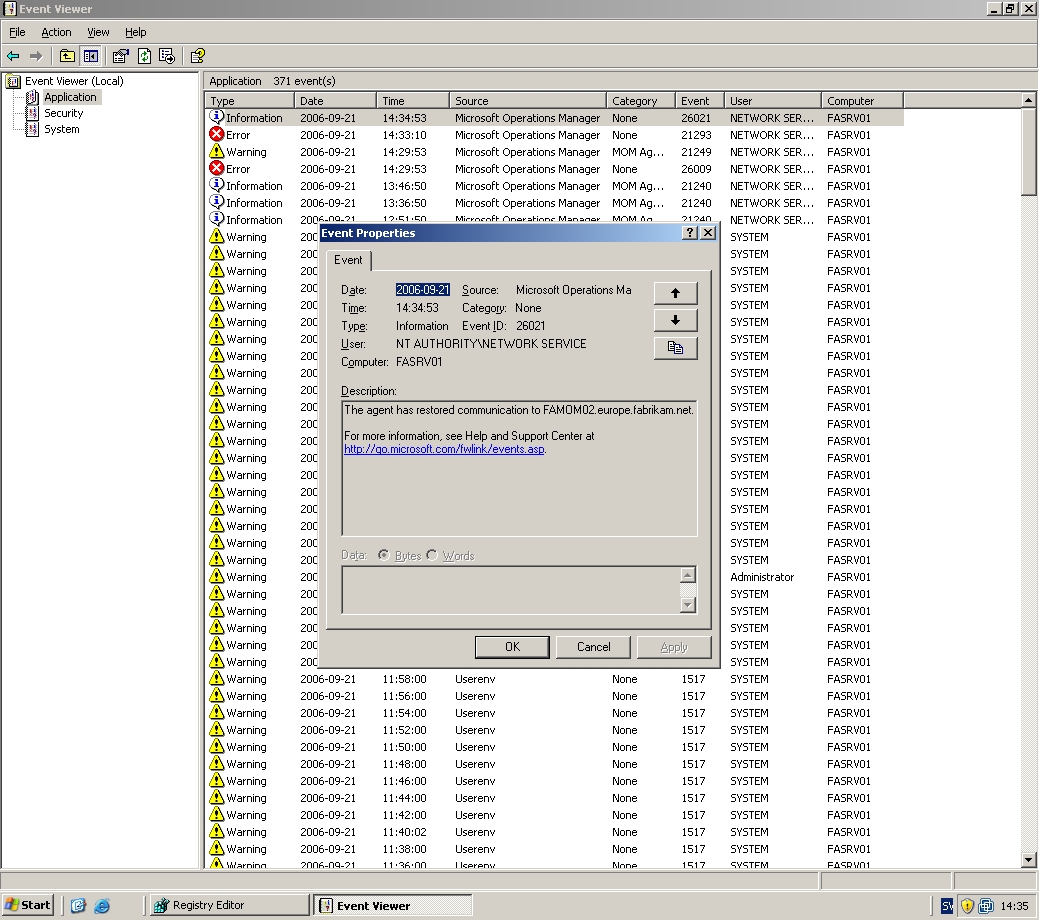
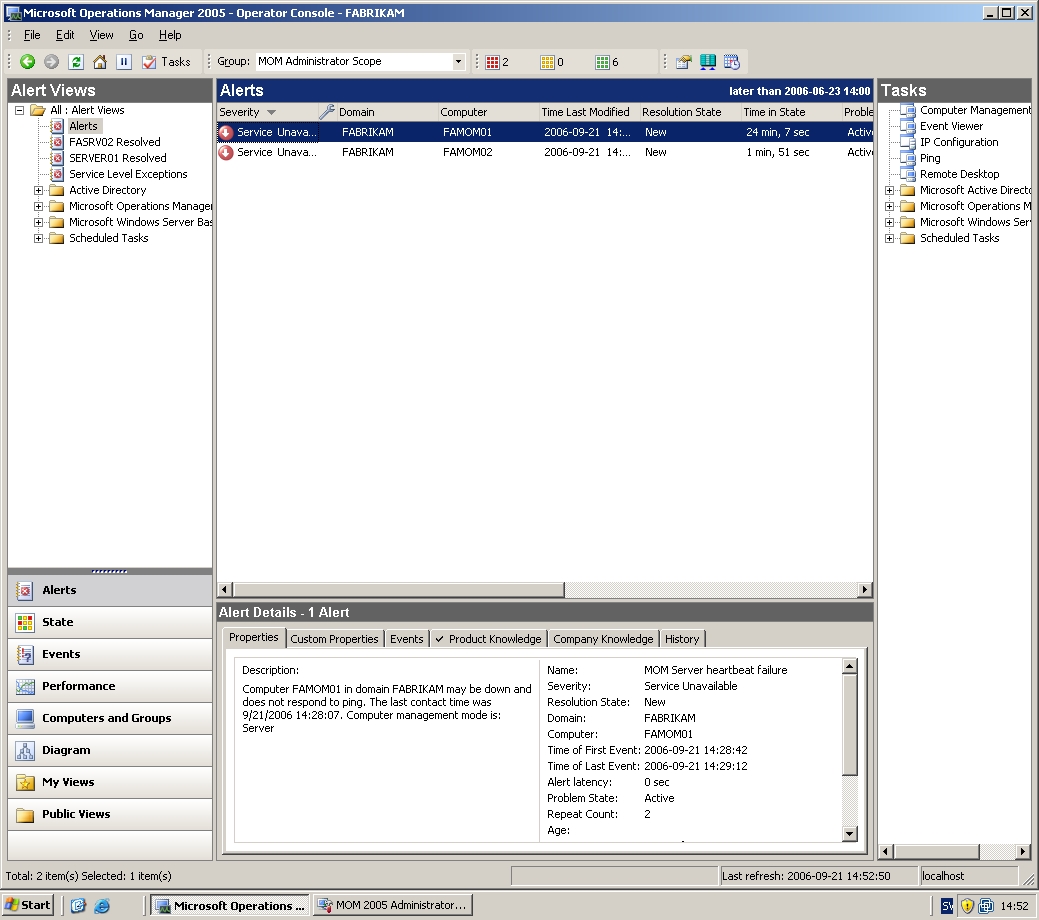
When the primary management server becomes inaccessible some events is generated on the agent, pic2 and pic3. If that management server also becomes inaccessible the agent do a failover to the next consolidator, in this case FAMOMSRV03 (pic7).
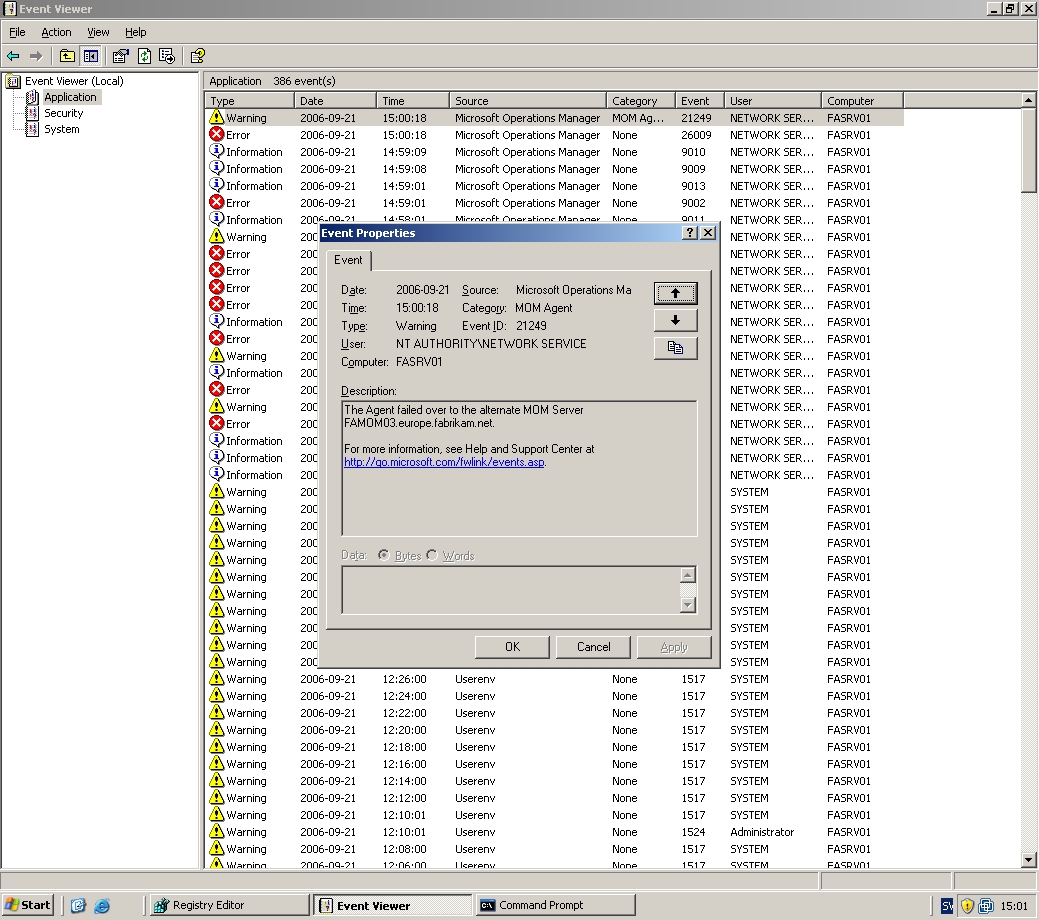
Note that there is no alerts in operator console when a agent do a failover. There is of course alerts when a management server becomes inaccessible, pic6.
If a agent have done failover first to MOMSRV02 and then failover to MOMSRV03 when MOMSRV2 gets back online will the agent don’t do a failover back to MOMSRV02. The agent will wait for the primary management server to get back online, then it will failover back to the primary management server.
eXc Software
eXc software have a lot of exciting management packs for MOM 2005. If you cant find any other way to monitor a service, device or  application there is most probable a management pack from eXc software to do it. They have for example management packs for Cisco, Vmware, MySQL, TrendMicro and McAfee Anti-Virus Server. I also want to say that eXc software customer support is great.
Many eXc software management packs contains two parts, a virtual agent running from the MOM management server and one part is receiving SMTP traps.
If you are working with a eXc management pack and thinks that its difficult to get a nice structure in eXc Software Configuration Tool, you can edit it in the file structure instead. If you look in the C:\Program Files\eXc Software\WMI Providers\Virtual Agents Library\MOM\Solaris\ all settings is stored in XML files. You can create new directories here that will show up in the configuration tool. You can also easy copy/paste files to “clone” settings to a new host. This could be a easier way since the configuration tool is a bit restricted.
In the Software Configuration tool there is a funny functions in the Tools menu, encryption. You will need to input both login and password into the configuration tool and to avoid have them visual you can save it in a text file and the encrypt the file with this function.
Remember to unmark “Disable” if you add new log files to monitor, else they will not be monitored, easy to forget.
TechNet Webcast on MOM
TechNet Webcast: Agility Now (Part 08 of 10): Managing the Environment from Microsoft Operations Manager (Level 200)
Having solved data management issues in the previous webcast, in part eight we illustrate how Contoso uses Microsoft Operations Manager (MOM) and the MOM management packs to achieve the firm’s management goals. With MOM, Contoso is able to monitor their IT environment and alert administrators about potential issues long before they became costly incidents.
Â
Ping script
This script ping different machines. If a machine dont answer a local event will ge generated. If you set strLog to 1 a event will be generated for every successful ping. You will need to create a parameter named Hosts that contains all hosts you want to ping.
'

' If strLog = "1" then a event will be generated for

' success ping.

'

' This script use one parameter called "Hosts".

' Value for this can be like this

' ping.sunet.se,10.1.1.0

'

' Version 2.0
aMAchines = Split(ScriptContext.Parameters.Get("Hosts"), ",")

strLog = "0"
For Each machine in aMachines
Set objPing = GetObject("winmgmts:{impersonationLevel=impersonate}")._
ExecQuery("select * from Win32_PingStatus where address = '"_
& machine & "'")
For Each objStatus in objPing
If IsNull(objStatus.StatusCode) or objStatus.StatusCode<>0 Then Const EVENT_WARNING = 2
Set objShell = CreateObject("Wscript.Shell")
objShell.LogEvent EVENT_WARNING, _
"Computer " & machine & " is not reachable (" & strLog & ")"
ELSE
IF strLog = 1 Then
Const EVENT_SUCCESS = 0
Set objShell = CreateObject("Wscript.Shell")
objShell.LogEvent EVENT_SUCCESS, _
"Computer " & machine & " is reachable"
End If
End If
Next
Next
Â
Â
Check if there are any *.err files
This script checks if there is any .err files in the directory. If there is any, a event is generated in the local event viewer.
Dim fso

Set fso = CreateObject("Scripting.FileSystemObject")

Set folder = fso.getfolder("C:\")

For Each File in Folder.Files

If fso.GetExtensionName(File)="err" Then
Const EVENT_WARNING = 2
Set objShell = CreateObject("Wscript.Shell")
objShell.LogEvent EVENT_WARNING, _
"There are error files in " & folder
End If
Next
Count number of instances
This script checks if notepad.exe is running more that 4 times. If it is running more than 4 times a event is generated. You can then collect those event and get an alert in operators console.
strComputer = "." Set objWMIService = GetObject("winmgmts:\\" & strComputer & "\root\cimv2")
Set objShell = CreateObject("Wscript.Shell")Set colProcesses = objWMIService.ExecQuery _
("Select * from Win32_Process Where Name = 'notepad.exe'")
If colProcesses.Count < 4 Then
Const EVENT_WARNING = 2
Set objShell = CreateObject("Wscript.Shell")
objShell.LogEvent EVENT_WARNING, _
"There are less then 4 instances of notepad.exe running"
End If
ISA MP
There is a new version of “Microsoft Internet Security and Acceleration (ISA) Server 2000, 2004, and 2006 Management Pack for Microsoft Operations Manager (MOM) 2005”
Don´t forget to backup your old version before you import this version.
Book of the day
Now you can order “Start to Finish Guide to Microsoft Operations Manager 2005”
In the Start to Finish Guide to Microsoft Operations Manager 2005, Microsoft Product Technology Specialist John Roller clearly explains the installation, configuration, and administration of MOM 2005. He describes the MOM user interfaces, including the Administrator, Operator, Reporting, and Web Consoles. Administration topics include e-mail notifications, Management Pack configuration, creating rules, and using maintenance mode. Advanced topics include MOM security, creating and customizing Management Packs, and extending MOM to UNIX/LINUX and network devices using eXc software.
Author: John Roller
Publishing house: Mann Publishing Group
ISBN: 1932577246
Recent Comments